


If you have received an offer to study at the University you can decline this offer via the Applicant Portal.
Please note that if you have more than one offer for different courses you do not need to actively decline each choice, instead you can accept the course you wish to study. Once you have done this, all other offers for the same year of study will be automatically declined. You can find out how to accept your offer here.
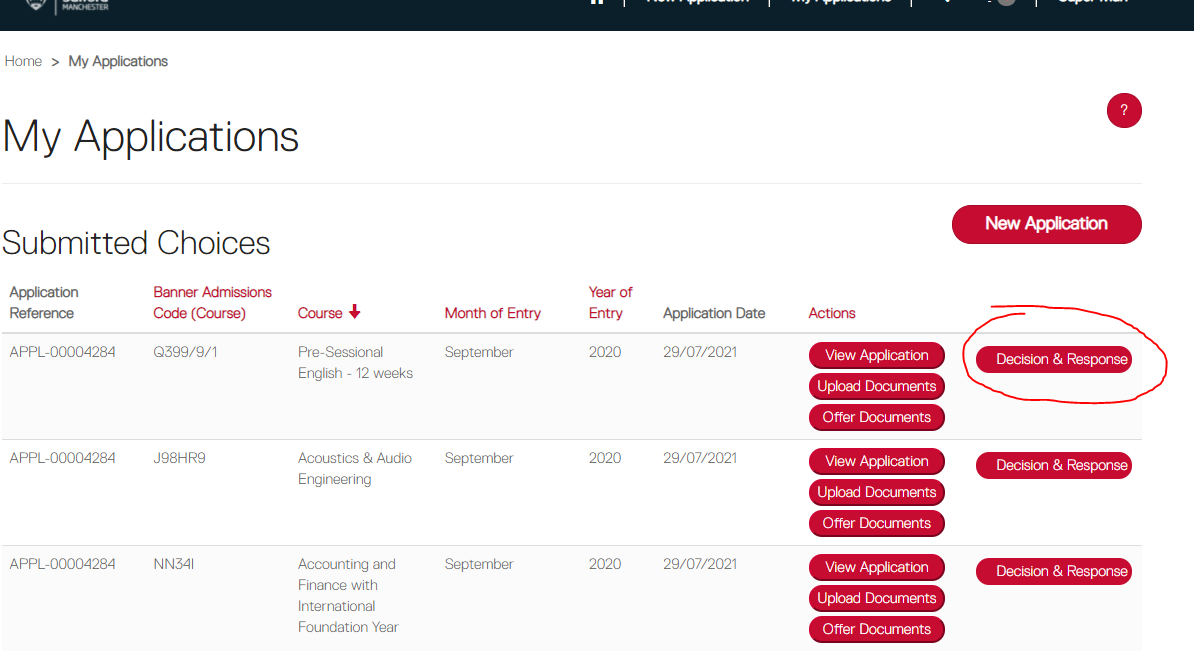
To decline your offer head to the 'My Applications' tab in the portal and click on the 'Decision & Response' button against the course you wish to decline.
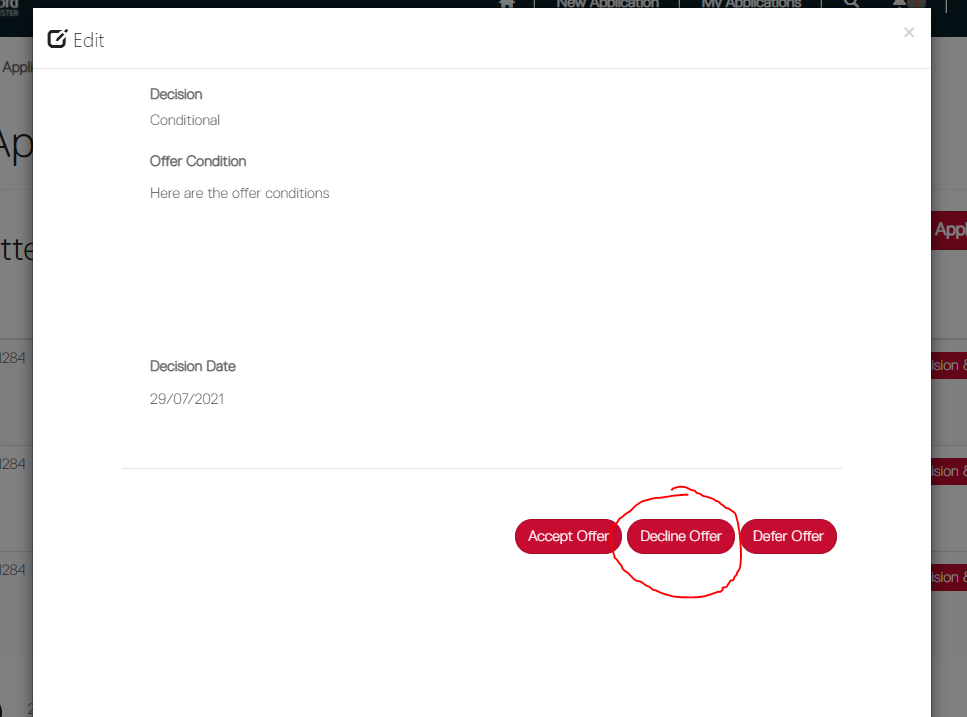
From the Decision & Response pop-up window select 'Decline Offer'.
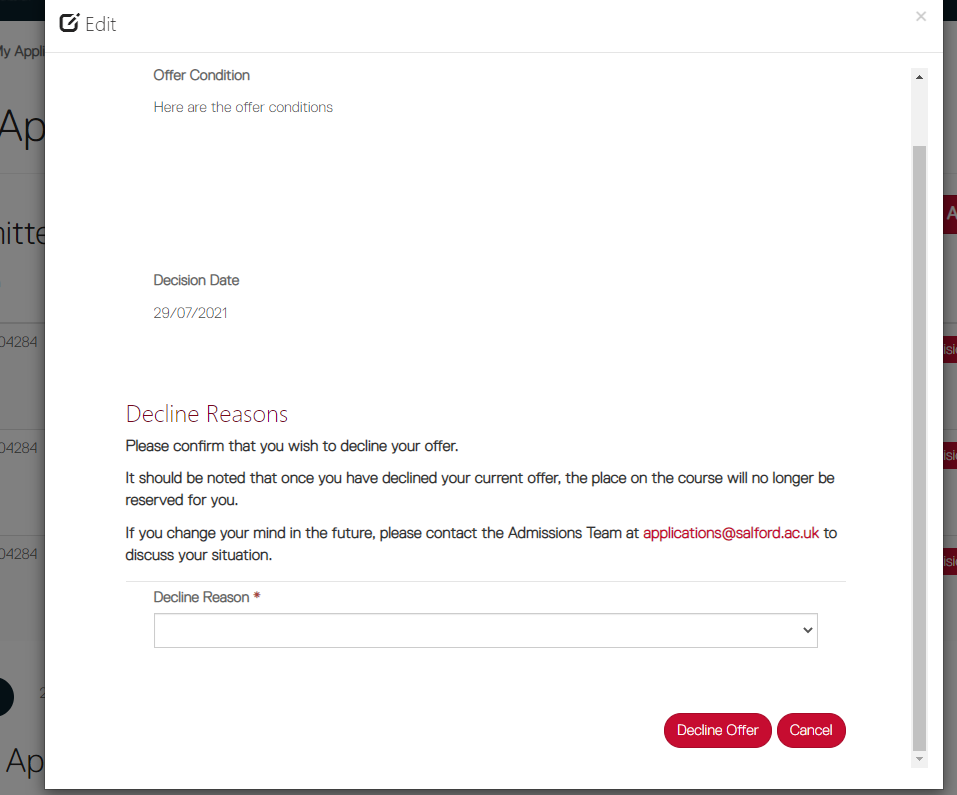
You will then be prompted to confirm you wish to decline the offer and you will be asked to provide a reason for your choice.
To decline your offer head to the 'My Applications' tab in the portal and click on the 'Decision & Response' button against the course you wish to decline.
From the Decision & Response pop-up window select 'Decline Offer'.
You will then be prompted to confirm you wish to decline the offer and you will be asked to provide a reason for your choice.